
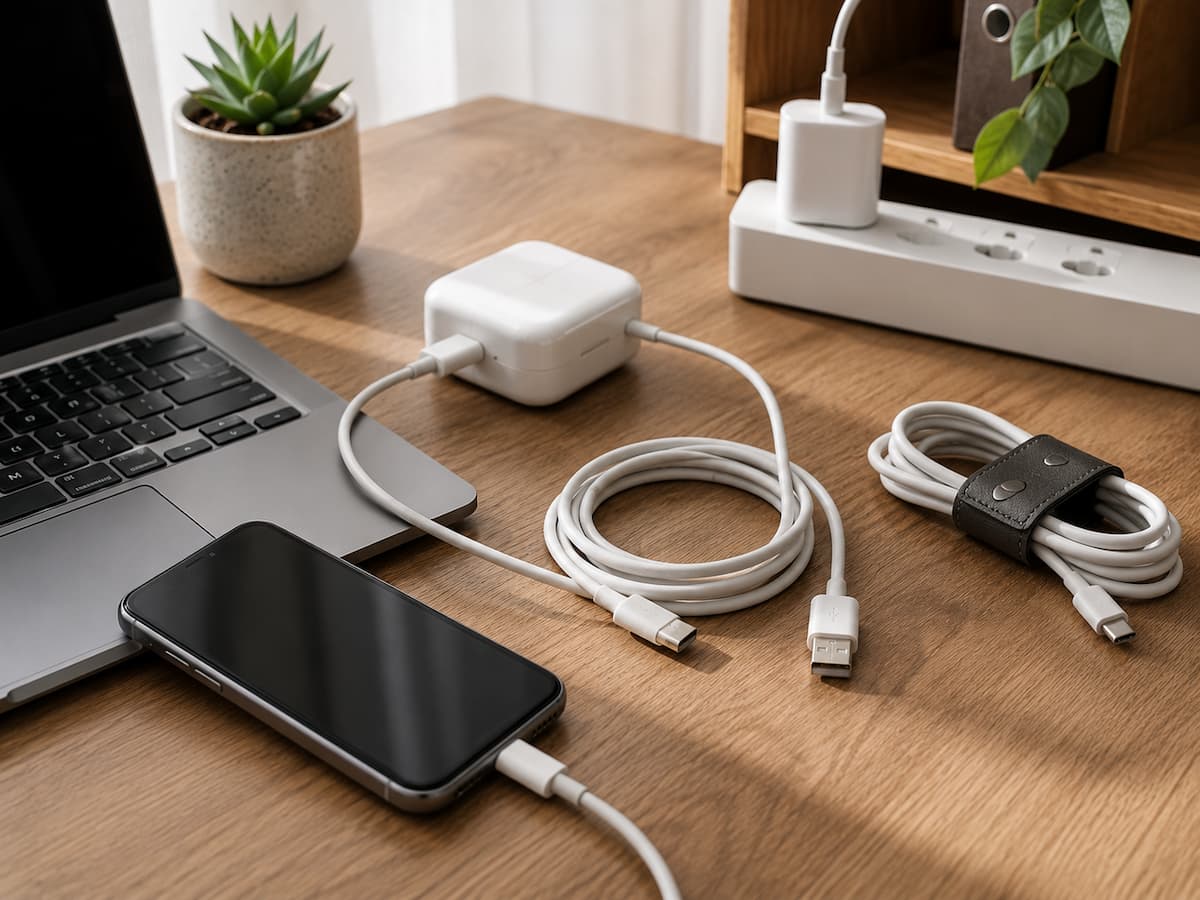
Most Cable Damage Starts With Mechanical Stress
The biggest enemy of an everyday charging cable is often not electricity but repeated physical strain. A cable can tolerate ordinary bending, but repeatedly folding it sharply in the same place can weaken its internal structure over time.
The area immediately behind the connector is especially vulnerable. When a phone is charging on a desk, for example, someone may bend the cable sharply upward so the device can be used comfortably. If this happens repeatedly, the same small section of cable is flexed again and again.
Try to keep cables in smooth curves rather than tight angles. When a device is charging, position it so the cable can approach the connector naturally instead of pulling sideways against it. This becomes particularly important with laptops and other devices where the charging cable can be accidentally caught by an arm, chair, or bag. Avoid situations where the cable is carrying the weight of the device or where someone can easily trip over it.
Pull the Connector, Not the Cable
One of the simplest habits to change is how you unplug a charger. Pulling the cable itself transfers force to the point where the wire connects to the plug. Repeating this can weaken the connection over time. Instead, hold the rigid connector housing and pull it straight out when possible. This reduces unnecessary stress on the flexible portion of the cable.
The same principle applies to USB cables, laptop charging leads, headphones, and other wired accessories. You do not need to handle them delicately every second. You simply want to avoid using the cable itself as a handle. If a connector is difficult to remove, stop and check whether it is being pulled at an angle or caught by something. Excessive force is often a sign that the connection needs to be repositioned rather than pulled harder.
Do Not Wrap Cables Too Tightly
Tight wrapping is convenient because it makes a cable look tidy, but repeatedly bending a cable into a small coil can put unnecessary stress on the same sections. This is particularly noticeable when people wrap a cable tightly around a charger brick or make several sharp loops to fit it into a small pocket.
For everyday storage, use loose loops with a diameter that does not force the cable into a severe bend. A reusable hook-and-loop strap can keep the loops together without squeezing the cable.
When packing a charger in a bag, give the cable enough room to sit naturally. Avoid closing a compartment on top of a tightly compressed cable or placing heavy objects over it. There is no need to make cable storage complicated. The goal is simply to reduce repeated sharp bends and compression.
Protect the Connector Area
The connector is where a cable experiences a combination of mechanical stress and repeated insertion. Dirt can make matters worse by interfering with a proper connection or making the connector harder to insert and remove.
Keep charging ports and connectors reasonably clean, but do not force objects into a device’s port to remove debris. Follow the device manufacturer’s cleaning instructions, particularly for small ports where delicate contacts can be damaged.
When transporting cables, avoid putting the connector under pressure. Do not place a laptop on top of a cable plug or allow other objects in a bag to bend a connector sharply. If the connector housing becomes cracked, loose, or visibly damaged, replacement is usually a better option than trying to repair it with tape or glue.
Keep Chargers Away From Excessive Heat
Heat is another reason to pay attention to where charging equipment is used. Chargers and power adapters can become warm during normal operation, but they still need adequate ventilation. Do not cover a charging adapter with clothing, bedding, or other materials while it is operating. Avoid placing it in a tightly enclosed space if the manufacturer expects it to dissipate heat into the surrounding air.
Also keep chargers away from radiators, direct sunlight, and other concentrated heat sources. A charger sitting on a cool desk has a very different thermal environment from one trapped beneath a blanket. If a charger becomes unusually hot, produces an unusual smell, makes unexpected noises, or shows physical damage, disconnect it safely and investigate the manufacturer’s guidance. Do not continue using questionable power equipment simply because it still appears to charge the device.
Use the Correct Charger for the Device
Using the right charger is about more than convenience. Modern charging systems can negotiate power requirements between a charger and a compatible device, but compatibility still matters.
Use the charger and cable recommended by the device manufacturer or choose reputable compatible equipment that explicitly supports the required charging standard and power specifications. Avoid assuming that every USB charger is interchangeable simply because the connector fits.
A cable can also have capabilities that another cable with the same connector does not. Some cables support higher charging power or faster data transfer, while others are designed for more basic use. A connector’s physical shape does not tell you everything about what the cable can handle. If a device requires a particular power rating or charging technology, check its documentation rather than selecting an accessory based only on appearance.
Do Not Ignore a Cable That Has Started Acting Strangely
Intermittent charging is often an early warning sign. If a device repeatedly starts and stops charging, works only when the cable is positioned a certain way, or disconnects when the connector moves slightly, something may be wrong with the cable, connector, charging port, or power adapter.
Please try to identify the source rather than immediately assuming the cable is the cause. A known-good compatible cable can help isolate the problem, provided the replaement is appropriate for the device. If several cables behave the same way, the device’s charging port or power source may need attention. Never continue bending a cable into a particular position simply to make it charge. That may temporarily restore the connection while increasing mechanical stress on an already damaged cable.
Know When a Cable Should Be Replaced
Some wear is cosmetic, but certain signs mean a cable should no longer be trusted. Damaged insulation, exposed conductors, cracked connector housings, severe fraying, burn marks, or signs of overheating are not problems to ignore.
| Condition | Recommended response |
|---|---|
| Light surface marks | Inspect the cable and continue using it only if the insulation and connectors remain intact. |
| Intermittent charging | Test with a suitable known-good cable or charger to identify the source of the problem. |
| Frayed insulation | Stop using the cable and replace it. |
| Exposed wires or conductors | Do not continue using the cable; replace it appropriately. |
| Burn marks or unusual heat | Disconnect it safely and replace or inspect the equipment according to manufacturer guidance. |
| Cracked or loose connector | Replace the cable rather than attempting an improvised repair. |
Do not wrap damaged insulation in tape and assume the cable has become safe again. Tape may cover the visible problem while leaving internal damage or electrical risks unresolved.
Store Chargers So They Are Ready for the Next Use
Good storage can prevent damage between charging sessions. Keep chargers and cables somewhere dry and reasonably cool, away from sharp objects and places where they can be crushed.
If you have several similar cables, label them by purpose. This can prevent you from repeatedly plugging and unplugging the wrong cable simply because several look identical.
For travel, use a small pouch or compartment that prevents the cable from being crushed. A loose coil is generally preferable to folding the cable repeatedly into a tiny square. Do not store chargers underneath heavy equipment or inside a crowded drawer where the cable is forced into sharp bends. small amount of space can make a noticeable difference over months of repeated use.
Keep Charging Ports in Good Condition
A healthy cable cannot compensate for a damaged or obstructed charging port. Pocket lint and dust can accumulate inside small ports, especially on smartphones and other portable devices that spend much of their time in bags or pockets.
If the connector no longer fits properly, do not force it. First check whether something is obstructing the connection and consult the device manufacturer’s cleaning instructions. Repeatedly inserting a connector at an angle can also place unnecessary stress on the port. Insert and remove it as straight as practical, and avoid leaving the cable under sideways tension while the device is charging.
If the port becomes loose, damaged, or unreliable with multiple suitable cables, the problem may be with the device rather than the cable.
Travel Without Destroying Your Cables
Travel is particularly hard on charging accessories because they are frequently stuffed into bags, wrapped tightly, and pulled out quickly. A small cable pouch can make a surprisingly useful difference.
Before packing, loosely coil the cable and secure it without compressing it tightly. Keep connectors away from keys, metal objects, and other items that could scratch or bend them. If you are carrying a power adapter, give the cable enough space that it is not sharply folded around the adapter.
For longer trips, consider carrying only the cables you actually need. Every extra cable adds another item that can become tangled, bent, or misplaced. If a charger is packed while still warm from use, allow it to cool normally before placing it in a tightly packed bag. This is especially sensible for larger power adapters.
Avoid Cheap Accessories That Create False Savings
Price alone does not tell you whether a charging accessory is good or bad. Some inexpensive cables work perfectly well, while some expensive products are not worth their price. The more useful question is whether the accessory is properly designed, compatible with your device, and made by a reputable manufacturer or seller.
Be cautious with accessories that make unrealistic claims, have poor physical construction, or do not clearly identify their specifications. For higher-power charging, laptops, and other demanding applications, matching the cable and charger to the required standards becomes particularly important. A slightly more durable cable can also be cheaper over time if it lasts through regular use instead of needing to be replaced repeatedly. But durability should be judged by construction and compatibility, not simply by marketing language.
Simple Habits Make the Biggest Difference
Chargers and cables usually do not need special maintenance routines. They need sensible handling. Unplug by the connector. Avoid sharp bends. Store cables in loose loops. Keep charging equipment away from excessive heat and moisture. Use compatible accessories. Keep ports reasonably clean. Replace cables when their insulation or connectors become damaged.
These habits are deceptively simple to overlook because each individual action seems insignificant. The benefit comes from repeating them every time you use the equipment. A charging cable is a consumable accessory, so it will eventually wear out. The goal is not to make one cable last forever. It is to avoid shortening its useful life through preventable damage and to recognize when replacement is safer than continued use.
FAQs
1. Why do charging cables stop working near the connector?
The area near the connector is repeatedly bent and pulled while the rigid plug remains relatively fixed. Over time, this repeated mechanical stress can damage the cable’s internal conductors or insulation.
2. Is it okay to wrap a charging cable around the charger?
It can be convenient, but avoid wrapping it tightly or creating sharp bends, particularly near the connector. Loose loops with a suitable cable strap are generally a better storage method.
3. Can I repair a frayed charging cable with electrical tape?
It is better to replace a cable with exposed or damaged conductors. Tape can hide visible damage without restoring the cable’s internal electrical or mechanical integrity.
4. Why does my charger get warm?
Some warmth can be normal during charging because electrical energy is converted and components produce heat. Unusual heat, burning smells, visible damage, or unexpected behavior should be treated as warning signs rather than normal operation.
5. Does a more expensive cable always last longer?
No. Price is not a reliable measure of durability. Look at compatibility, construction quality, specifications, and the reputation of the manufacturer or seller.
6. Should I unplug my charger when it is not being used?
For everyday household use, following the manufacturer’s instructions is the best approach. Unplugging unused chargers can also reduce unnecessary standby energy use and removes an electrical device from service when it is not needed.

Daniel Mercer writes about everyday technology problems, including computer and network troubleshooting, device care, software and apps, digital organization, and online privacy. He focuses on practical explanations that help readers understand what may be causing a problem before changing settings or replacing equipment. Daniel prefers clear, straightforward guidance over unnecessary technical jargon and aims to make technology easier to understand for everyday users. His work appears across FinStructura’s five main content areas.