
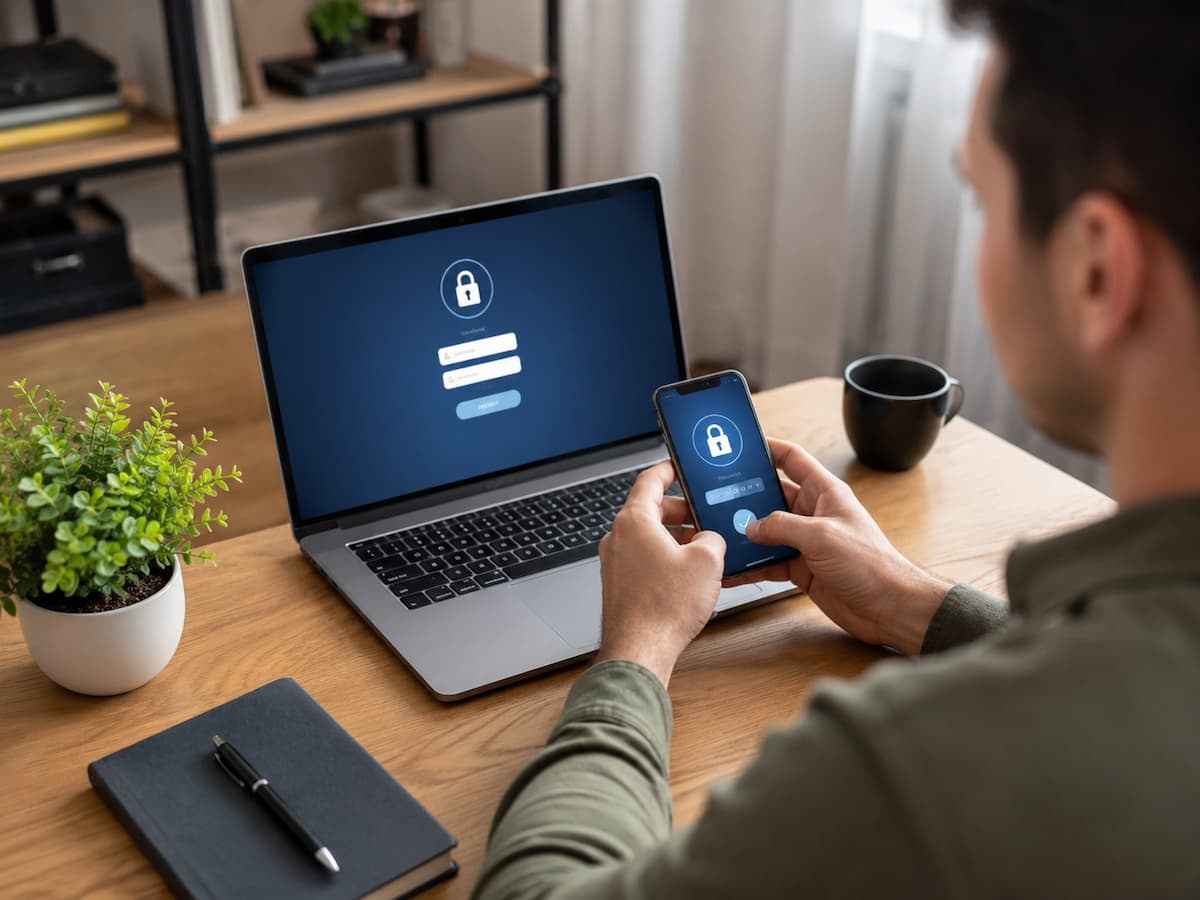
Managing online logins becomes difficult long before someone realizes there is a problem. A few important accounts can turn into dozens: email, banking, shopping, cloud storage, social networks, work services, subscriptions, government portals, forums, and old websites you no longer remember using. When every account has its own password, recovery method, and security settings, simply remembering what you created becomes a task in itself.
The answer is not keeping a larger list of passwords in a spreadsheet or using the same password everywhere because it is easier to remember. A better approach is to build a login system in which each account has a clear place, strong authentication, reliable recovery information, and an intentional reason for remaining active. Good login management is therefore about more than passwords. It involves deciding which accounts matter most, separating important identities, using modern sign-in methods where available, reviewing old access, and making sure you can recover your accounts when something goes wrong.
Start by Mapping Your Account Landscape
Before changing passwords, find out what you actually have. Most people underestimate the number of online accounts they have created because accounts accumulate gradually. An old shopping account might still exist even though you have not used the retailer for years. A website you joined for a one-time download might still have your email address stored. You may also have several accounts connected through “Sign in with Google,” “Sign in with Apple,” or another identity provider.
Start with your primary email inboxes. Search for terms such as “welcome,” “verify your email,” “confirm your account,” “password reset,” “sign in,” and “account created.” These searches can reveal services you have forgotten. As you build your list, divide accounts according to importance rather than simply counting them.
Your primary email account should normally receive the highest level of attention because it can often be involved in password resets for other services. Financial accounts, cloud storage, work accounts, and accounts containing valuable personal information also deserve priority. Low-value accounts can be handled later. This prevents a common mistake: spending an hour changing the password for an old forum while leaving the email account that controls dozens of password resets poorly protected.
Give Your Most Important Accounts Stronger Protection
Not every login needs to be managed in exactly the same way. A useful approach is to create tiers. Your highest-priority accounts should have the strongest authentication available and carefully maintained recovery options. Everyday services can use the same basic system without necessarily requiring the same level of attention. Accounts containing little information and no payment details can sit lower on the priority list.
This does not mean deliberately using weak passwords on less important accounts. It means allocating your time intelligently. For example, consider an account hierarchy like this:
| Account type | Priority | What deserves attention |
|---|---|---|
| Primary email | Very high | Unique password, strong second factor, recovery options |
| Financial services | Very high | Unique credentials, MFA, account alerts |
| Work or business accounts | High | Strong authentication and careful recovery settings |
| Cloud storage | High | Unique login and additional authentication |
| Shopping accounts | Medium | Unique password and updated recovery information |
| News, forums, and low-value services | Lower | Strong unique credentials where practical; remove unused accounts |
The exact priorities will differ between people. The key idea is to identify accounts that could cause a much larger problem if someone gained access.
Stop Reusing Passwords Across Important Accounts
Password reuse creates a dangerous dependency between otherwise unrelated services. Suppose the same password is used for an online store, a forum, and an important email account. If the password becomes exposed through one service, an attacker may try the same credentials elsewhere. The problem is no longer limited to the original website. Unique passwords break that chain.
For most people, the practical solution is not memorizing dozens of complicated passwords. It is using a reputable password manager to generate and store unique credentials. You then need to remember the password or authentication method used to protect the password manager itself. A good password management system should make it easy to create a different password for every account. That changes the question from “How can I remember all these passwords?” to “How can I securely manage one protected collection of credentials?”
There is one important limitation: a password manager is not magic. Its security depends on the strength of the account protecting it, the security of the devices you use, and your ability to recover access if something goes wrong. Treat the password manager’s primary credentials and recovery process as high-priority information.
Know When a Passkey Makes More Sense
Passkeys are changing how some websites handle account authentication. Instead of relying on a traditional password, a passkey uses cryptographic credentials associated with an approved device or credential manager. The private part is designed to remain protected rather than being entered into a website as a conventional password. For services that support passkeys, they can provide a convenient alternative to passwords and can help reduce problems associated with password reuse and phishing.
That does not mean you should immediately replace every existing login without understanding how the service handles passkeys and account recovery. Before switching, check whether the service supports passkeys across the devices you regularly use and whether you have an appropriate recovery method. If you use several devices, understand how your chosen passkey system makes credentials available across them.
The practical rule is simple: use a passkey when it is well supported by the service and fits your device setup, but understand the recovery process before relying on it as your primary way into the account.
Use Two-Factor Authentication Where It Matters Most
A password is only one layer of account protection. Two-factor authentication, often called 2FA or MFA, adds another authentication factor after the password. Different services support different methods. These can include authenticator apps, security keys, passkeys, and other verification methods.
When several options are available, consider both security and practicality. A method that you can reliably use is generally more useful than a stronger option that leaves you locked out because you never configured a backup. For high-value accounts, an authenticator app or security key may be preferable to relying exclusively on text messages when the service offers stronger alternatives. However, availability varies by provider, and some services may support only certain methods.
Do not activate two-factor authentication and then ignore the recovery process. Save the service’s recovery codes somewhere secure if it provides them, and understand what happens if you lose your phone or security device. The goal is not merely to add another login screen. It is to create an authentication setup that remains usable when your normal device is unavailable.
Separate Your Recovery Information From Your Everyday Login Routine
Account recovery deserves almost as much attention as the login itself. Imagine changing your password and enabling two-factor authentication, then losing the phone that receives your verification codes. If your recovery email or backup authentication method is outdated, the stronger security settings can become an obstacle when you need legitimate access.
Review the recovery information attached to important accounts. Check whether the recovery email still belongs to you, whether old phone numbers have been removed, and whether backup codes are stored somewhere you can actually access. Avoid using the same compromised email account as the recovery destination for another account without considering the consequences. Your primary email account is often especially important because access to it can influence password-reset processes elsewhere. Recovery information should be current, protected, and deliberately chosen. It should not simply be whatever phone number or email address happened to be available when you created the account years ago.
Keep “Sign in With” Connections Under Control
Modern login systems can reduce password clutter by allowing you to use an existing identity provider to sign into another service. This can be convenient, but it also creates relationships between accounts that are easy to forget. Review the services connected to your major identity providers. Remove access for applications you no longer use and investigate permissions that no longer make sense.
There is an important distinction here. Removing a connection can prevent future access through that authorization, but it does not necessarily erase information a third-party service already received. If you want previously shared information deleted, you may need to contact that service separately. This is one reason your account list should include not only traditional username-and-password accounts but also third-party connections.
Clean Up Accounts You No Longer Need
Old accounts are easy to ignore because they are not part of your daily routine. That does not automatically make them harmless. An unused account may still contain your email address, old personal information, saved payment details, private messages, or other data. It may also have a password that you reused somewhere else.
When you identify an account you genuinely no longer need, look for the provider’s account deletion or closure process. Before deleting it, consider whether you need to export anything first, such as documents, purchase records, photos, or other information.
If deletion is not available, remove unnecessary information and revoke connected services where possible. Account cleanup also reduces the number of login credentials you need to monitor. Fewer unnecessary accounts mean fewer places where outdated recovery details or old passwords can remain.
Make Your Login System Easy to Maintain
A secure system that is too complicated to maintain will eventually become outdated. Instead of trying to perform a massive security overhaul every few months, establish a simple routine. When you create a new account, immediately give it a unique password or passkey, record it in your password manager, and configure available recovery options.
When you stop using a service, decide whether the account should be deleted or simply retained. When a major service announces a security change, review the authentication options rather than continuing with an old setup indefinitely.
You can also use your password manager as an inventory. Look for duplicate passwords, weak credentials, old entries, and accounts you no longer recognize. Many modern password managers provide security auditing features that can help identify these problems, although the exact capabilities differ between products. The objective is to make good account hygiene part of the normal login process instead of a project you repeatedly postpone.
What to Do When You Suspect a Login Has Been Compromised
If you notice an unfamiliar login, password-reset message, or other suspicious account activity, avoid making random changes across dozens of accounts. Start with the potentially affected account. If you can still access it, change the password to a unique credential and review active sessions, connected devices, recovery options, and third-party access. Enable stronger authentication if it is available.
Then consider whether the same password was used elsewhere. If it was, those other accounts should be treated as potentially exposed as well. Your primary email account deserves particular attention because it may be involved in password recovery for many other services. Secure it before working through lower-priority accounts. If you cannot access an important account, use the provider’s official account-recovery process rather than relying on unofficial services that claim they can restore access.
Build a Login System You Can Actually Keep
Taking control of online account logins is less about finding one perfect security setting and more about removing unnecessary complexity. The most useful system has a few consistent characteristics: important accounts receive more attention, passwords are not reused, modern authentication methods are used where appropriate, recovery information remains current, third-party access is reviewed, and abandoned accounts are removed when practical.
You do not need to rebuild every account in one afternoon. Start with your primary email account and other high-impact services. Once those are in good shape, work through the remaining accounts according to their importance. The result should be a login system where you know what accounts exist, how each important account is protected, how it can be recovered, and which services are no longer worth keeping. That is much easier to maintain than a collection of passwords and forgotten accounts scattered across your digital life.
FAQs
1. Should every online account have a different password?
For accounts that use passwords, unique passwords are strongly preferable because a password exposed at one service cannot then be directly reused to access another account. A password manager can make unique credentials practical without requiring you to memorize each one.
2. Are passkeys better than passwords?
Passkeys offer a different authentication model and can provide strong protection against certain password-related attacks. Whether you should use one depends on whether the service supports passkeys well and whether the method fits your devices and recovery setup.
3. Is a password manager safe to use?
A reputable password manager can make it much easier to maintain unique credentials, but it still needs to be protected carefully. The security of the overall setup depends on factors including the protection of the password manager account, your devices, and your recovery arrangements.
4. Should I delete old online accounts?
If you no longer need an account, deletion can reduce the amount of information and credentials you need to manage. Before deleting one, check whether you need to retrieve any data or records and whether the service provides a proper account-closure process.
5. What is the most important account to secure first?
For many people, the primary email account is a sensible starting point because it may be involved in password resets and account recovery for other services. High-value accounts such as financial, work, and cloud-storage accounts should also receive early attention.
6. How often should I review my online logins?
A periodic review is useful, but account changes should also trigger a review. New devices, major password changes, suspicious activity, discontinued services, and new third-party connections are all good reasons to check your login setup.

Daniel Mercer writes about everyday technology problems, including computer and network troubleshooting, device care, software and apps, digital organization, and online privacy. He focuses on practical explanations that help readers understand what may be causing a problem before changing settings or replacing equipment. Daniel prefers clear, straightforward guidance over unnecessary technical jargon and aims to make technology easier to understand for everyday users. His work appears across FinStructura’s five main content areas.